
AI Face Swap Features
Everything you need for professional AI face swapping, built into one fast desktop app.
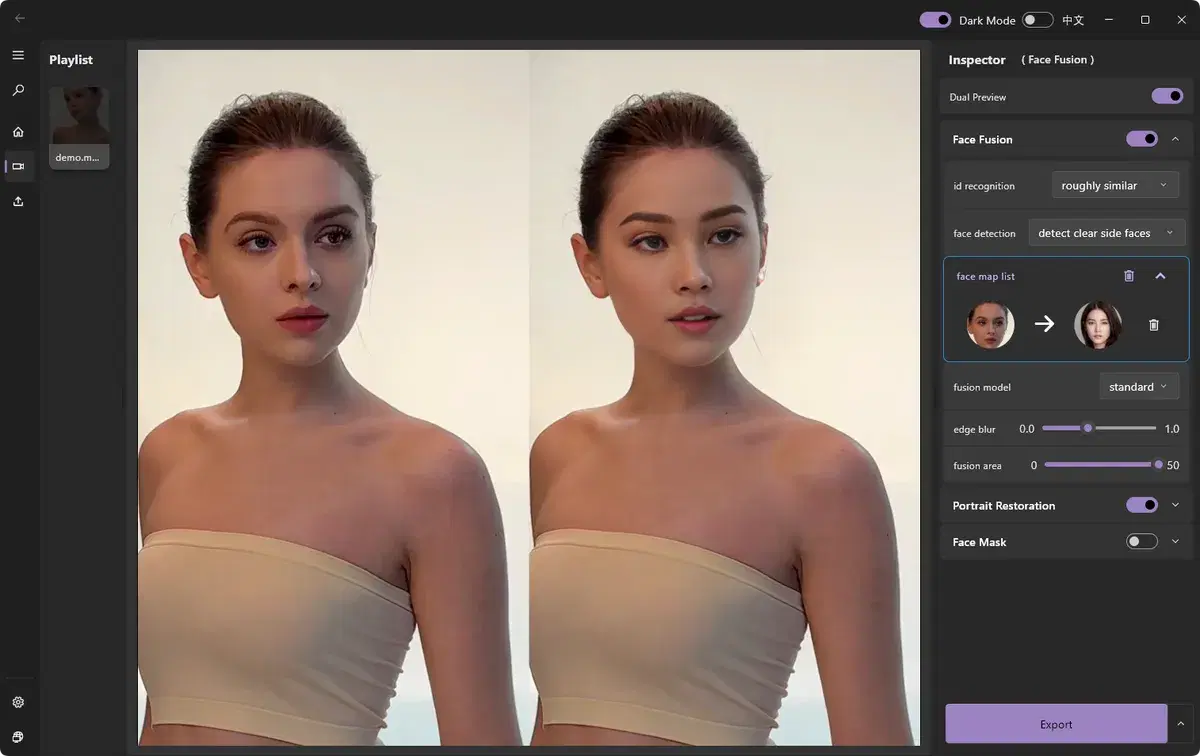
AI Face Detection & Tracking
ClapClip AI automatically detects faces in photos and videos and tracks them frame-by-frame, even with movement, rotation, and changing lighting conditions.
Realistic Blending Engine
Our blending engine matches skin tone, lighting, and shadows so swapped faces look natural in the final output.
Batch Video Processing
Process entire video clips in one pass instead of editing frame by frame, saving hours of manual work.
Multiple Export Formats
Export results in popular video and image formats ready for editing, social media, or broadcast.
GPU-Accelerated Performance
Leverage your Windows PC's GPU for significantly faster rendering compared to cloud-based alternatives.
Simple, Guided Workflow
Import your source media and target face, preview the result, and export — no technical experience required.
Popular face swap workflows
Best Face Swap Software for PC and Windows in 2026
Compare face swap software for PC and Windows. See why ClapClip is a strong offline choice for private video, long clips, photos, and live camera swaps.
Long Video Face Swap
Face swap long videos on Windows with no uploads or clip-length limits. Preview results live, track faces frame by frame, and process locally on your GPU.
Live Webcam Face Swap
Use your webcam for a live face swap on Windows. Get a low-latency camera preview, local GPU processing, and private sessions with no media uploads.
Desktop Face Swap App
Download a private face swap app for Windows 10 and 11. Swap faces in videos and photos locally with live preview, GPU acceleration, and no uploads.
The Best FaceFusion Alternative
Looking for a FaceFusion alternative? ClapClip offers the same local, private face swap with real-time preview and a far simpler Windows app.
Explore every ClapClip tool
Move between private local workflows for face swap, enhancement, transcription, and video downloads.