
Local Face Swap
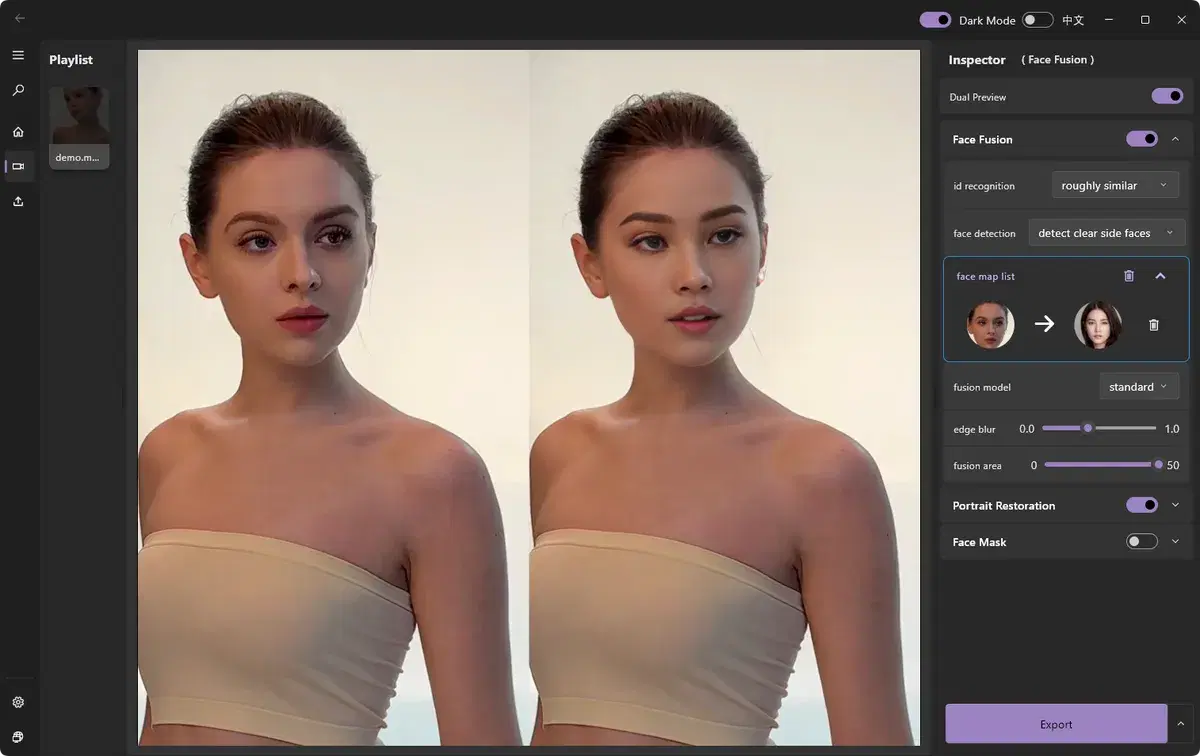
Local face swap runs entirely on your own computer instead of uploading your media to a server. ClapClip AI processes everything offline using your GPU, so your footage stays private and there are no file-size or length limits imposed to save someone else's compute.
Local Face Swap
Watch the demo to see ClapClip in action — the result below shows the original and the AI-processed version side by side.
- Nothing is uploaded — your media never leaves your PC
- Works offline with no cloud queue
- No file-size or clip-length limits
How it works
- 1
Install ClapClip AI
Download the Windows app — no account required.
- 2
Import your media
Open a video or photo directly from your machine.
- 3
Swap locally
All processing happens on your device using your GPU.
- 4
Export
Save the result — nothing was ever uploaded.
Related
Desktop Face Swap App
Download a private face swap app for Windows 10 and 11. Swap faces in videos and photos locally with live preview, GPU acceleration, and no uploads.
The Best FaceFusion Alternative
Looking for a FaceFusion alternative? ClapClip offers the same local, private face swap with real-time preview and a far simpler Windows app.
Long Video Face Swap
Face swap long videos on Windows with no uploads or clip-length limits. Preview results live, track faces frame by frame, and process locally on your GPU.
Real-time Face Swap
See your face swap update live as you adjust settings — no waiting on renders. Powered by a local GPU engine.
Best Face Swap Software for PC and Windows in 2026
Compare face swap software for PC and Windows. See why ClapClip is a strong offline choice for private video, long clips, photos, and live camera swaps.