
AI Video Face Swap
Video face swap replaces a face across every frame of a clip, not just a single still. ClapClip AI tracks the face as it moves, turns, and changes lighting, then blends the new face in so the result holds up in motion — all processed locally on your own machine.
AI Video Face Swap for Windows
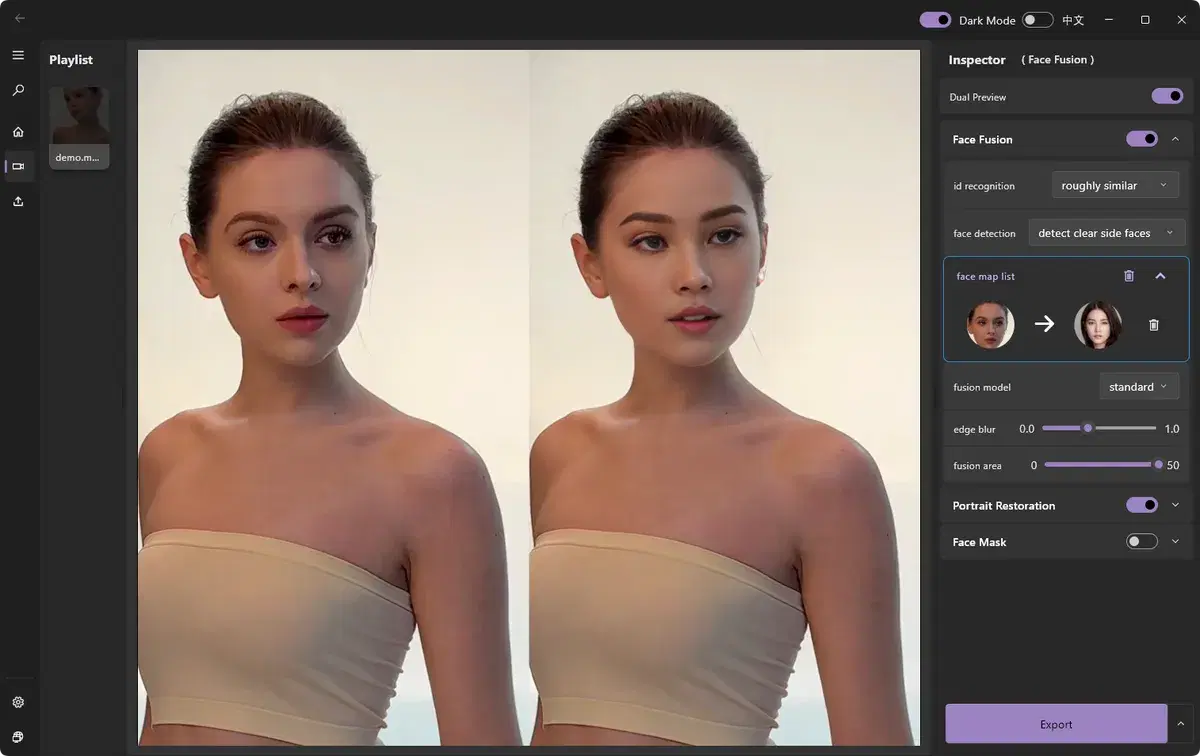
Watch the demo to see ClapClip in action — the result below shows the original and the AI-processed version side by side.
- Frame-by-frame face tracking that stays locked on through movement
- Live preview so you see the result before rendering
- No clip-length limits and no uploads — everything runs on your PC
How it works
- 1
Import your video
Open the clip you want to edit in ClapClip AI.
- 2
Choose a target face
Pick a clear, front-facing source photo or a built-in template.
- 3
Turn on face swap
Watch the live preview update as the AI tracks and blends the face.
- 4
Export
Render the finished clip locally in a common video format.
Related
AI Photo Face Swap
Swap faces in photos in seconds with natural blending of skin tone, lighting, and shadows — processed privately on your device.
Batch Face Swap
Process multiple videos or photos in one pass with GPU acceleration — ideal for creators and teams producing at scale.
Real-time Face Swap
See your face swap update live as you adjust settings — no waiting on renders. Powered by a local GPU engine.
Long Video Face Swap
Face swap long videos on Windows with no uploads or clip-length limits. Preview results live, track faces frame by frame, and process locally on your GPU.
Best Face Swap Software for PC and Windows in 2026
Compare face swap software for PC and Windows. See why ClapClip is a strong offline choice for private video, long clips, photos, and live camera swaps.