
AI Photo Face Swap
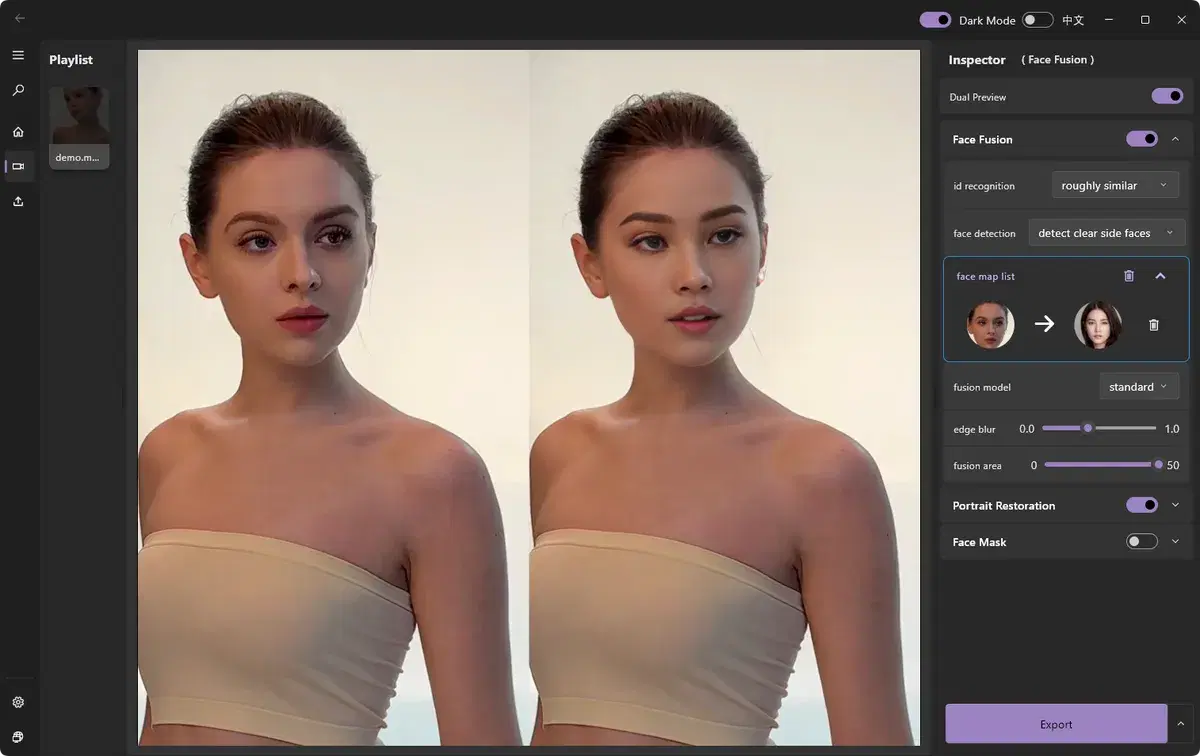
Photo face swap drops a new face into a still image while matching the original lighting and tone so it looks natural. ClapClip AI handles the blending automatically and keeps your images on your own computer.
Photo Face Swap
Watch the demo to see ClapClip in action — the result below shows the original and the AI-processed version side by side.
- Automatic matching of skin tone, lighting, and shadows
- Works with a single source photo — no complex setup
- Private by design: images never leave your device
How it works
- 1
Open your photo
Load the image you want to edit.
- 2
Add a source face
Choose a clear front-facing photo of the face to swap in.
- 3
Preview the blend
Review the automatically blended result.
- 4
Save
Export the finished image in your preferred format.
Related
AI Video Face Swap
Swap faces in any video clip with frame-by-frame AI tracking, a live preview, and fully local processing on your Windows PC.
Local Face Swap
100% on-device face swap — no uploads, no cloud queue, no limits. The private, offline alternative to online face swap tools.
Deep Face Swap
Deep-learning face swap for Windows that delivers the most realistic results — natural skin tone, lighting, and expression matching. Local, GPU-accelerated, no uploads.
Best Face Swap Software for PC and Windows in 2026
Compare face swap software for PC and Windows. See why ClapClip is a strong offline choice for private video, long clips, photos, and live camera swaps.
AI Photo & Image Enhancer
Improve overall photo and image quality with AI. Sharpen soft detail, reduce noise, and clean compression artifacts locally on Windows.